
Introduction
The way people watch television has undergone a dramatic transformation over the past decade, and nowhere is that shift more visible than in the rapid rise of IPTV services. Internet Protocol Television has moved from a niche technology enjoyed by early adopters to a mainstream entertainment solution embraced by millions of households worldwide. Among the growing number of IPTV providers competing for viewers’ attention in 2025, Krooz TV has emerged as a name that consistently appears in conversations about reliable, feature-rich, and affordable streaming alternatives to traditional cable and satellite television. Whether you are completely new to the world of IPTV or someone who has experimented with various services and is now looking for a more comprehensive understanding of what Krooz TV specifically brings to the table, this guide is designed to give you everything you need. From a detailed breakdown of its core features and the benefits it offers over conventional TV services, to a practical step-by-step setup guide covering multiple devices, this article leaves no stone unturned. By the time you finish reading, you will have a thorough, well-rounded understanding of Krooz TV— what it is, what it can do, and whether it is the right streaming solution for your household in 2025.
What Is Krooz TV? A Complete Overview
At its core, Krooz TV is an Internet Protocol Television service that delivers live television channels, on-demand movies, TV series, and other multimedia content directly to your screen via a broadband internet connection. Unlike traditional cable or satellite television, which relies on physical infrastructure such as coaxial cables or satellite dishes to transmit signals, Krooz TV uses the same internet connection you already have at home to stream content in real time. This fundamental difference in delivery method is what gives IPTV its signature flexibility, portability, and cost efficiency compared to legacy television systems. Krooz TV operates by providing subscribers with access credentials — typically in the form of an M3U playlist URL or Xtream Codes login details consisting of a username, password, and server URL. These credentials are entered into a compatible IPTV player application installed on the viewer’s device of choice, whether that is an Amazon Firestick, an Android TV box, a Smart TV, an Android smartphone, a tablet, or even a Windows or Mac computer. Once the credentials are loaded into the app, the platform fetches the subscriber’s complete channel lineup from the IPTV server and makes it available for instant viewing. The service typically encompasses thousands of live TV channels spanning a wide range of categories including news, sports, entertainment, lifestyle, documentaries, children’s programming, and international content from dozens of countries. In addition to live television, most Krooz TV subscription packages include access to a Video on Demand library containing thousands of movies and television series that subscribers can watch at any time. Many packages also include an Electronic Program Guide, commonly referred to as an EPG, which functions similarly to a traditional TV guide by displaying current and upcoming programming schedules for each channel. As with all IPTV services, the user experience with Krooz TV is closely tied to the quality and stability of the subscriber’s internet connection. A fast, consistent broadband connection is the single most important factor in ensuring smooth, buffer-free streaming, and this is a consideration that any prospective IPTV subscriber should take seriously before making the switch from cable or satellite.
Key Features of Krooz TV
Understanding what Krooz TV actually offers in terms of features is essential before evaluating whether it is the right service for your needs. The following breakdown covers the most important features that define the Krooz TV experience and set it apart from both traditional television and competing IPTV services.
Extensive Channel Library
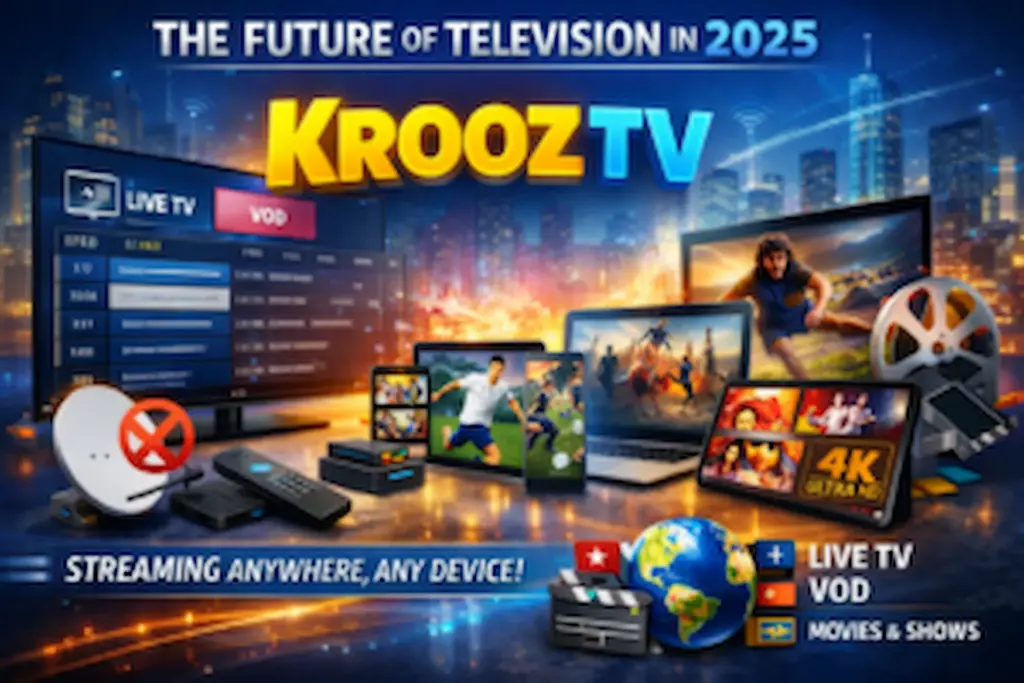
One of the most immediately impressive aspects of Krooz TV is the sheer breadth of its channel library. Most subscription tiers provide access to thousands of live TV channels drawn from across the globe. These channels span every major content category — breaking news from international broadcasters, live sports coverage including football, basketball, cricket, tennis, and combat sports, entertainment and reality TV, lifestyle and cooking channels, children’s cartoons and educational programming, and much more. The availability of international channels in languages including Arabic, French, Spanish, German, Italian, Portuguese, and many others makes Krooz TV particularly valuable for multilingual households and expatriate communities who want to stay connected to content from their home countries.
Video on Demand Library
Beyond live television, Krooz TV typically includes a substantial Video on Demand library that gives subscribers the freedom to watch movies and TV series on their own schedule rather than being tied to broadcast times. The VOD library is regularly updated with new releases and classic titles across genres including action, drama, comedy, horror, science fiction, documentary, and animation. This feature effectively combines the benefits of a live TV service with those of a traditional on-demand streaming platform, making Krooz TV a versatile all-in-one entertainment solution.
Electronic Program Guide (EPG)
The inclusion of an Electronic Program Guide is a feature that significantly enhances the usability of Krooz TV for everyday viewers. The EPG displays current and upcoming program schedules for each available channel, allowing subscribers to plan their viewing in advance and quickly identify what is on at any given time. This feature mirrors the familiar TV guide experience that cable and satellite subscribers are accustomed to, making the transition to IPTV feel more intuitive and less disorienting for newcomers to the platform.
Multi-Device Compatibility
Krooz TV is designed to work across a broad spectrum of devices, which is one of its most practically useful features. Subscribers can access their IPTV service on Amazon Firestick, Fire TV, Android TV boxes, Samsung and LG Smart TVs, Android smartphones and tablets, iPhones and iPads (via compatible apps), Windows and Mac computers, and MAG set-top boxes. This cross-platform compatibility means that your entertainment is not confined to a single screen — you can watch your favourite channels at home on a large 4K television and then pick up on your smartphone while commuting or travelling.
Multiple Simultaneous Connections
Many Krooz TV subscription plans offer the option of multiple simultaneous connections, allowing more than one person in a household to stream different content on different devices at the same time. This is a significant practical advantage over traditional cable TV, where each television typically requires its own set-top box and associated rental fee. A multi-connection IPTV plan allows an entire family to enjoy their individual preferred content simultaneously without any additional hardware costs.
HD and 4K Streaming Quality
Krooz TV supports high definition and, for an increasing number of channels, Ultra HD 4K streaming quality. The actual picture quality experienced by the subscriber depends on the combination of their internet connection speed and the quality of the specific stream being accessed. With a sufficiently fast broadband connection — generally 25 Mbps or above for HD and 50 Mbps or above for 4K — the visual quality of IPTV streams can match or exceed what traditional cable TV delivers, particularly for channels that cable providers still transmit in standard definition due to bandwidth constraints within their own infrastructure.
Catch-Up and Time-Shift TV
Some Krooz TV subscription packages and compatible player apps offer a catch-up or time-shift feature that allows subscribers to go back and watch content that was broadcast within a specific window of time — typically the past 24 to 72 hours. This feature is particularly useful for viewers who missed a live broadcast and want to watch it without hunting for a VOD version. Availability of this feature varies depending on the specific channel and subscription plan, so it is worth confirming with your provider which channels include catch-up functionality.
The Benefits of Choosing Krooz TV
Having explored the features of Krooz TV in detail, it is worth stepping back and considering the broader benefits that these features translate into for the everyday subscriber. Why are so many viewers making the switch to IPTV, and what specific advantages does Krooz TV offer that traditional television cannot?
Significant Cost Savings
The financial argument for Krooz TV is compelling and straightforward. The average cable TV bill in 2025 sits between $80 and $150 per month before additional fees for equipment rental, premium channels, and sports packages are factored in. Krooz TV subscriptions, by contrast, are typically available for between $10 and $30 per month depending on the plan selected. Over the course of a year, this difference can represent savings of anywhere from $600 to well over $1,500 — a figure that is difficult to dismiss regardless of household income level. The absence of long-term contracts also means that subscribers are not exposed to the early termination fees and price hikes that cable subscribers frequently encounter.
Freedom from Long-Term Contracts
One of the most frustrating aspects of traditional cable TV for many consumers is the contractual obligation that comes with most service agreements. Cable providers routinely lock customers into 12 to 24-month contracts with significant penalties for early cancellation. Krooz TV and most IPTV services operate on a much more consumer-friendly model, offering month-to-month subscriptions that can be cancelled at any time without financial penalty. This flexibility gives subscribers genuine control over their entertainment spending and eliminates the feeling of being trapped in an agreement that no longer serves their needs.
Access to Global Content
Traditional cable TV packages are inherently limited by the broadcasting rights available within a given region or country. As a result, cable subscribers in one country typically have little to no access to channels from other parts of the world without paying premium prices for international packages. Krooz TV breaks down these geographical barriers by offering channels from dozens of countries within a single subscription, making it an invaluable service for international viewers, expat communities, and multilingual households who want comprehensive access to global programming.
Unmatched Viewing Flexibility
The ability to watch your content on any device, at any time, from any location with an internet connection is a benefit that traditional cable TV simply cannot replicate. Krooz TV travels with you — whether you are at home, staying in a hotel, visiting family abroad, or commuting on public transport, your full channel lineup and VOD library is always accessible through your smartphone, tablet, or laptop. This level of viewing flexibility represents a fundamental improvement in the day-to-day entertainment experience compared to the location-bound nature of cable television.
A Richer, More Personalized Experience
The combination of thousands of live channels, an extensive VOD library, EPG scheduling, and catch-up TV gives Krooz TV subscribers a far more comprehensive and personalized entertainment experience than a standard cable package can provide. Viewers are no longer constrained by what a cable provider has chosen to include in a predetermined package — instead, they have access to a vast content universe from which they can curate their own viewing habits according to their individual tastes and interests.
How to Set Up Krooz TV : Step-by-Step Guide
Setting up Krooz TV is a straightforward process that most users can complete in under fifteen minutes, regardless of which device they are using. The following steps outline the general setup process across the most commonly used platforms.
Setting Up Krooz TV on Amazon Firestick
Step 1: From your Firestick home screen, navigate to Settings, then My Fire TV, then Developer Options, and enable Apps from Unknown Sources to allow third-party app installation. Step 2: Download and install the Downloader app from the Amazon Appstore. This free tool allows you to install APK files directly onto your Firestick. Step 3: Open Downloader and use it to download the APK file for your preferred IPTV player. Popular and highly regarded options include IPTV Smarters Pro and TiviMate. Step 4: Once the APK is downloaded, install it and then open the IPTV player app. Step 5: In the app, select the option to add a new playlist or account. Enter your Krooz TV credentials — either your M3U URL or your Xtream Codes username, password, and server URL. Step 6: Save your settings and allow the app to load your channel list. Once loaded, you are ready to start watching.
Setting Up Krooz TV on Android TV and Smart TVs
Step 1: On Android TV devices, open the Google Play Store and search for your preferred IPTV player app. Install IPTV Smarters Pro, TiviMate, or GSE Smart IPTV directly from the Play Store. Step 2: Open the installed app and navigate to the playlist or account setup section. Step 3: Enter your Krooz TV M3U URL or Xtream Codes credentials and save. Step 4: Allow the app to fetch your channel list and begin streaming. For Samsung Tizen and LG webOS Smart TVs, the recommended approach is to use available apps from their respective app stores — such as SS IPTV for LG — or to connect an external streaming device like a Firestick via HDMI for the most reliable experience.
Setting Up Krooz TV on Android Smartphones and Tablets
Step 1: Open the Google Play Store on your Android device and install your preferred IPTV player app. Step 2: Launch the app and select the option to add a new playlist or Xtream Codes account. Step 3: Input your Krooz TV subscription credentials accurately, including the server URL, username, and password or your M3U link. Step 4: Tap to load your playlist. Your full channel library will appear within moments, ready for immediate viewing. Step 5: Optionally, connect your Android device to your television via Chromecast or screen mirroring to enjoy the content on a larger display.
Choosing the Right IPTV Player for Krooz TV
The IPTV player app you choose has a significant impact on your overall experience with Krooz TV. While the content itself comes from the IPTV server, the player app determines how you navigate, search, and consume that content. Here is a brief overview of the most widely used and well-regarded IPTV player options in 2025. IPTV Smarters Pro is one of the most popular IPTV player apps available, compatible with Android, iOS, Firestick, and Android TV. It offers a clean, user-friendly interface, support for both M3U and Xtream Codes, EPG integration, and multiple video player options. It is widely considered one of the best all-round choices for IPTV beginners and experienced users alike. TiviMate is a premium IPTV player developed specifically for Android TV and Firestick devices. It is renowned for its polished, television-optimised interface, robust EPG support, multiple playlist management, DVR recording functionality, and overall performance stability. Many users consider TiviMate to be the gold standard of IPTV player apps for living room streaming. GSE Smart IPTV is a versatile, cross-platform IPTV player available on Android, iOS, Apple TV, and other platforms. It supports M3U playlists and Xtream Codes, offers advanced customization options, and includes built-in support for multiple video player backends. It is a strong choice for users who want flexibility and granular control over their streaming setup. VLC Media Player is a free, open-source media player that supports M3U playlist loading and can be used as a basic IPTV player on Windows, Mac, Android, and iOS. While it lacks the dedicated IPTV interface features of apps like TiviMate or IPTV Smarters, it is a reliable fallback option and a useful alternative video player for troubleshooting playback issues.
Tips to Optimise Your Krooz TV Experience
Getting the most out of your Krooz TV subscription involves more than just installing the right app and entering your credentials. The following tips will help ensure that you consistently enjoy the best possible streaming experience.
- Use a wired Ethernet connection whenever possible rather than Wi-Fi, particularly for 4K or HD streaming. A physical connection eliminates wireless interference and delivers more consistent speeds and lower latency.
- Invest in a quality streaming device. The hardware running your IPTV player has a meaningful impact on performance. Devices with more RAM and a faster processor handle high-bitrate streams more smoothly and are less likely to experience app crashes or buffering during extended viewing sessions.
- Clear your app cache regularly. Over time, cached data accumulates and can slow down your IPTV player. Periodically clearing the cache through your device’s app settings keeps performance optimal.
- Keep your IPTV player app updated. Developers regularly release updates that improve stability, add features, and fix compatibility issues. Always ensure your app is running the latest available version.
- Consider using a VPN. In some regions, internet service providers throttle streaming traffic, which can negatively impact IPTV performance. A reputable VPN service can help bypass throttling and maintain consistent speeds, though it is worth noting that VPNs may themselves introduce a modest reduction in connection speed depending on the server chosen.
- Test your internet speed before troubleshooting. If you experience buffering or quality issues, always test your connection speed first using a tool like Speedtest.net to rule out internet performance as the root cause before investigating the IPTV service or app itself.
Frequently Asked Questions (FAQs)
Q: What devices are compatible with Krooz TV? Krooz TV is compatible with a wide range of devices including Amazon Firestick and Fire TV, Android TV boxes, Samsung and LG Smart TVs, Android smartphones and tablets, iPhones and iPads, Windows and Mac computers, and MAG set-top boxes. Essentially, any device capable of running a compatible IPTV player app can be used to access Krooz TV.
Q: Do I need a special app to use Krooz TV? Yes. Since Krooz TV does not typically offer a dedicated standalone app on official stores, you will need a third-party IPTV player application to load your subscription credentials and access your channels. Recommended options include IPTV Smarters Pro, TiviMate, and GSE Smart IPTV.
Q: How many channels does Krooz TV offer? The exact number of channels varies depending on the subscription plan, but most Krooz TV packages offer access to thousands of live TV channels spanning multiple countries, languages, and content categories, along with a substantial Video on Demand library.
Q: Can I try Krooz TV before purchasing a full subscription? Many IPTV providers, including those operating under the Krooz TV brand, offer short trial periods to allow prospective subscribers to evaluate the service before committing to a paid plan. Check with your specific provider for trial availability and terms.
Q: What internet speed do I need for Krooz TV? A minimum of 10 Mbps is recommended for standard definition streaming. For HD content, 25 Mbps or above is advisable, and for 4K streams, a connection speed of 50 Mbps or higher is recommended for the best experience.
Q: Is Krooz TV available worldwide? Krooz TV can generally be accessed from any location with a stable internet connection, though some content may be subject to regional restrictions depending on broadcasting rights. A VPN can be useful for accessing geo-restricted content while travelling or living abroad.
Q: What should I do if my Krooz TVstreams are buffering? Start by testing your internet speed and switching from Wi-Fi to a wired Ethernet connection if possible. Clear your IPTV app’s cache, try switching to a different video player within the app, and check whether the issue is isolated to specific channels or affects all streams. If the problem persists across all channels, contact your Krooz TV provider to check for server-side issues.
Conclusion
Krooz TV represents one of the most comprehensive and feature-rich IPTV solutions available to viewers in 2025. From its extensive library of thousands of live channels and a rich Video on Demand catalogue, to its support for HD and 4K streaming, multi-device compatibility, Electronic Program Guide functionality, and the freedom of month-to-month subscriptions without binding contracts, Krooz TV delivers a modern television experience that addresses virtually every limitation of traditional cable and satellite TV. The significant cost savings alone make it worth serious consideration for any household currently paying inflated cable bills, but the benefits extend well beyond price — encompassing content variety, viewing flexibility, and the sheer convenience of having your entire entertainment world accessible on any screen, anywhere, at any time. Setting up Krooz TV is a manageable process that requires minimal technical knowledge, and with the right IPTV player app and a reliable internet connection, the service performs at a level that genuinely rivals — and in many respects surpasses — what cable television has traditionally offered. If you are ready to explore a smarter, more flexible, and more affordable approach to home entertainment, taking the time to research Krooz TV subscription options and setting up a trial is a logical and worthwhile next step. The future of television is internet-based, and services like Krooz TV are leading the way toward that future with confidence and capability. If this guide has helped clarify what Krooz TV is and what it can offer, consider sharing it with friends or family who are also exploring their options in the rapidly evolving world of streaming television. The more informed viewers are, the better equipped they will be to make entertainment choices that truly serve their needs and budgets in 2025 and beyond.